RGB split effect
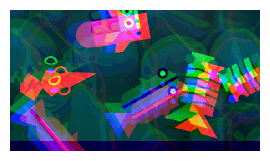
Separate each component's RGB(red, green, blue) colors and display them on the screen with an offset:
Key settings
Each color channel has its own X offset and Y offset, letting you shift the red, green and blue components independently. Larger offsets produce a stronger split.
Animating these offsets with events is a common way to create a glitch, impact or teleport feedback: increase the offsets briefly when the player is hit, then return them to 0.
Reference
All effects are listed in the effects reference page.